


Background
A program move is completed by the HMIS Help Desk in cases where a client was enrolled into the wrong program and needs to be switched to the correct program. The purpose of a program move is to maintain all the historical data from the enrollment AND reflect the correct program enrollment.
Example of when a program move may be required:
- A client was enrolled in the wrong project and has data entries under the enrollment.
Examples of when a program move is not required:
- Funding changes such as when one program may close and the client needs to be transfer to a program to continue receive services. The client would have two separate enrollments to track their program history.
- In some cases, a client may have duplicate enrollments due to a client profile merge or data entry error. The user will need to reach out to their Agency Administrator to assist with deleting the duplicate program enrollment. See the Deleting Program Enrollments Knowledge Base Article for more information.
How to Request a Program Move
The Agency Administrators for the agency the erroneous project belongs to will need to submit a HMIS Helpdesk Support Ticket and request a program move. When submitting a program move request ticket, please note the name and dates of the current project enrollment and provide the name of project the client needs to be moved into, along with a reason for the request.
CES Referral Connections
When working with enrollments that have Coordinated Entry System (CES) referrals attached, please exercise caution. Agency Admins should never delete an enrollment with an active CES referral.
Instead, a Program Move must be requested. This ensures that the CES referral remains properly linked and the Program Move will reflect the accurate program the client is enrolled in. This step is critical for maintaining data integrity and ensuring clients remain accurately connected to their referrals and housing placement processes.
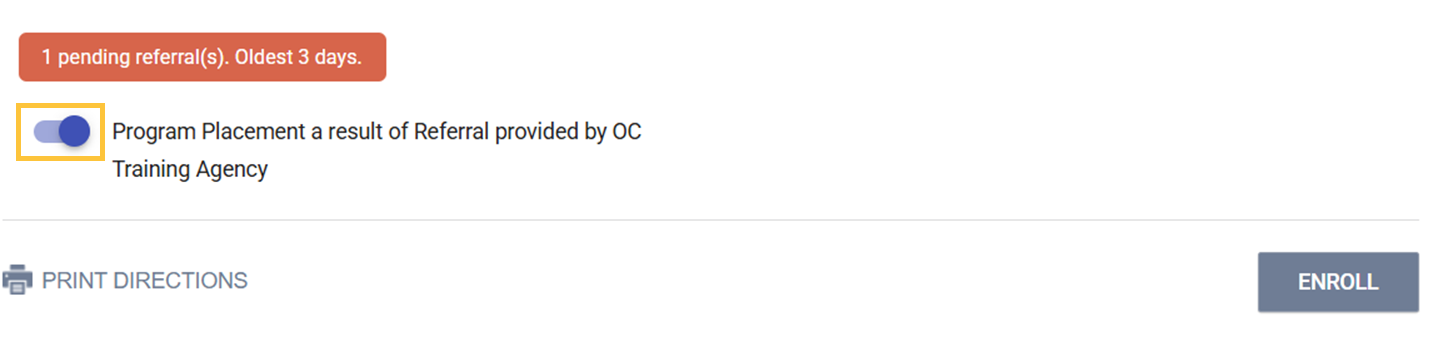
The referral connection is created by the housing provider at the time of enrollment. The referral linkage button option will only appear when the client has a pending housing referral. The referral connection button will automatically be toggled to the "on" position so no action is needed by the housing provider other than to confirm the button is toggled on before the select ENROLL.

Once the enrollment is completed, the housing provider can navigate to the client's Program History screen where they should see the connection icon next to the enrollment.
Although the referral connection is linked to the Head of Household member who received the CES referral, if the Head of Household leaves the referral connection will still be associated with any remaining members of a group enrollment.

